In the digital age, your screen is your personal gallery. Whether you are a graphic designer looking for high-resolution assets or a smartphone user who wants a fresh, crisp look for your home screen, the quality of your wallpaper matters. While the internet is flooded with free images, they often come with low resolution, watermarks, or copyright risks. This is where premium wallpaper subscriptions come in.
Premium services offer curated, high-definition (HD) and 4K libraries that ensure your devices look stunning without the hassle of broken pixels or legal worries. But with so many options available, which one is right for you?
In this guide, we will compare the top subscription services for premium wallpaper downloads, helping you decide which platform offers the best value, variety, and quality for your needs.
Why Pay for a Wallpaper Subscription?
Before diving into the options, it is helpful to understand why users upgrade to premium services.
- Superior Quality: Access to true 4K, 8K, and Retina-ready images that look sharp on any screen size.
- Exclusive Content: Premium libraries often contain unique artwork, 3D renders, and live wallpapers you won't find on Google Images.
- No Ads or Watermarks: Enjoy a clean, uninterrupted browsing and downloading experience.
- Legal Safety: For content creators, premium subscriptions often come with commercial licenses, meaning you can use the wallpapers in your projects safely.
1. Shutterstock
Best For: Professional Designers and Commercial Use
Shutterstock is a giant in the stock photography world. While it is primarily known for marketing assets, its library of abstract, nature, and texture backgrounds is massive.
Key Features
- Library Size: Over 400 million images.
- Resolution: Extremely high-quality images suitable for 5K displays and large prints.
- Search Filters: Advanced filtering by color, orientation, and even "negative space" for placing icons.
Pricing & Model
Shutterstock operates on a credit or subscription model. It is on the pricier side, with monthly plans typically starting around $29/month for 10 images.
Pros & Cons
- Pros: Unmatched variety, professional-grade quality, reliable licensing.
- Cons: Expensive for casual users who just want a phone background; unused credits may expire.
2. Adobe Stock
Best For: Users in the Adobe Ecosystem
If you already use Photoshop or Illustrator, Adobe Stock is a seamless choice. It offers a deep collection of artistic backgrounds and vector-based wallpapers that can be resized indefinitely without losing quality.
Key Features
- Integration: distinct advantage of being built right into Creative Cloud apps.
- Asset Types: Includes vectors, illustrations, and photos.
- Curated Collections: High-end artistic collections that feel less "corporate" than other stock sites.
Pricing & Model
Subscriptions start similarly to Shutterstock, often around $29.99/month for 10 standard assets, with a free trial usually available.
Pros & Cons
- Pros: High-quality vector options, seamless workflow for designers.
- Cons: Interface can be overwhelming for non-designers; relatively high cost for personal use.
3. Envato Elements
Best For: Unlimited Downloads and Creatives
Envato Elements is unique because it offers an "all-you-can-eat" model. Instead of paying per image, you pay a flat fee for unlimited downloads.
Key Features
- Unlimited Access: Download as many wallpapers as you like.
- Variety: Includes 3D wallpapers, video backgrounds (live wallpapers), and motion graphics.
- Commercial License: Broad licensing that covers most personal and commercial use cases.
Pricing & Model
The individual plan is roughly $16.50/month, making it one of the most cost-effective options for heavy users.
Pros & Cons
- Pros: Great value for money, diverse media types (video/3D), no download limits.
- Cons: The library is smaller than Shutterstock’s; search relevance can sometimes be hit-or-miss.

4. Unsplash+
Best For: Budget-Conscious Photography Lovers
Unsplash is famous for its free library, but Unsplash+ is their premium tier. It offers exclusive content created by top-tier photographers specifically for the platform.
Key Features
- Authenticity: Images feel natural, moody, and artistic rather than "staged."
- Exclusivity: Access to images not available to free users.
- Support: Your subscription helps support the photographers directly.
Pricing & Model
Very affordable, often priced around $4–$7/month (billed annually).
Pros & Cons
- Pros: Very cheap, beautiful "lifestyle" aesthetic, supports artists.
- Cons: Limited graphical/3D art (mostly photography), fewer options than the big stock giants.
5. Wallpezia
Best For: Mobile Optimization, 4K Variety, and Ease of Use
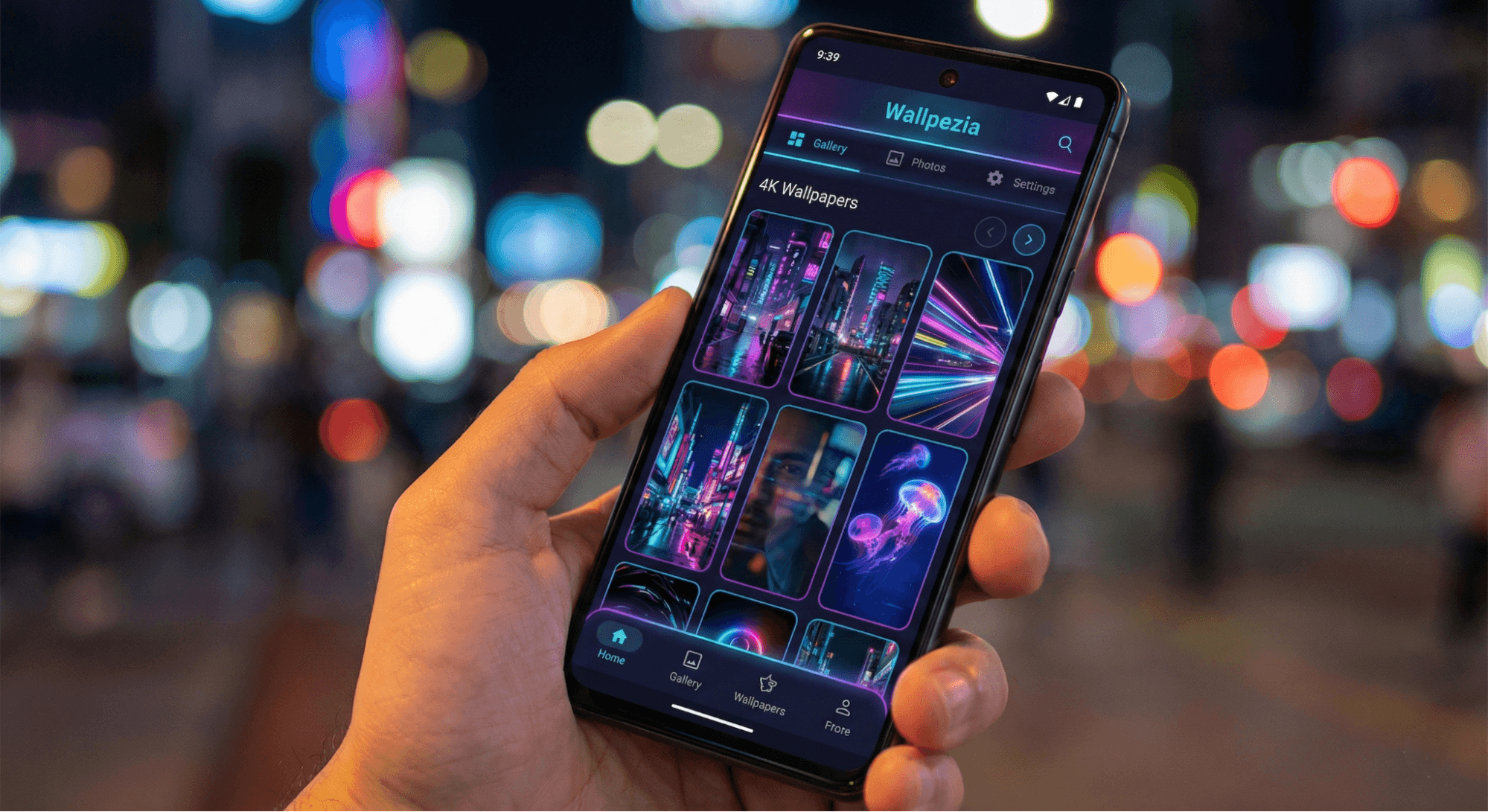
For users specifically looking to personalize their mobile devices and desktops with stunning, ready-to-use backgrounds, Wallpezia stands out as a highly convenient platform. It bridges the gap between professional stock sites and user-friendly wallpaper apps.
Key Features
- Curated 4K & HD: A massive collection specifically hand-picked for screens (phones, tablets, and desktops).
- Live Wallpapers: A strong focus on battery-friendly live and dynamic wallpapers that bring screens to life.
- Cross-Device Sync: Seamlessly sync your favorite backgrounds between your devices.
- User-Centric Interface: Unlike complex stock sites, Wallpezia is designed for immediate personalization—browse, preview, and set.
Pricing & Model
Wallpezia offers a flexible model that often includes free access to a vast library, with premium options for exclusive 4K content and ad-free experiences. It is generally more affordable and targeted than enterprise stock sites.
Pros & Cons
- Pros: Designed specifically for wallpapers (not just generic stock photos), massive collection of live backgrounds, easy to use on mobile, frequent updates with trendy visuals.
- Cons: Primarily focused on screen personalization rather than commercial print licensing.
Comparison Summary
Here is a quick breakdown to help you choose:
Service | Best For | Approx. Price | Key Strength |
Shutterstock | Commercial Use | High ($29+/mo) | Massive library size |
Adobe Stock | Designers | High ($29+/mo) | Vector quality & integration |
Envato Elements | Heavy Downloaders | Medium ($16.50/mo) | Unlimited downloads |
Unsplash+ | Photography Fans | Low ($4-7/mo) | Artistic, natural photos |
Wallpezia | Personalization | Flexible/Low |
Safety Tips for Downloading Premium Wallpapers
Even when using legitimate subscription services, keep these tips in mind to ensure your device stays safe and optimized.
- Check the Resolution: Always ensure the "download size" matches your screen. For a standard 1080p monitor, you want at least 1920x1080. For 4K monitors, look for 3840x2160.
- Avoid Third-Party Re-sellers: Only download directly from the official app or website. "Cracked" wallpaper apps often contain malware.
- Battery Management: If using live wallpapers (video backgrounds), check if the app has a "battery saver" mode. Wallpezia, for example, optimizes live wallpapers to minimize battery drain.
- Copyright: If you plan to stream or make YouTube videos with your desktop visible, ensure your wallpaper doesn't violate copyright laws. Most premium subscriptions cover this usage.
Conclusion
Choosing the right subscription service depends on your goal. If you are a graphic designer needing commercial assets, Shutterstock or Adobe Stock are industry standards. If you want unlimited assets for creative projects, Envato Elements is unbeatable value.
However, if your main goal is to simply make your phone or computer look incredible with zero hassle, Wallpezia is the ideal choice. With its focus on high-definition mobile and desktop backgrounds, battery-efficient live wallpapers, and a user-friendly experience, it offers the perfect balance of quality and convenience for personalization enthusiasts.
Ready to transform your screen? Explore the Wallpezia collection today and discover the difference 4K quality makes.
For step-by-step guidance on safely downloading high-resolution wallpapers, check out our detailed guide here on How to Download High-Resolution Wallpapers Safely from Popular Wallpaper Sites?
@All images in this blog are sourced from Wallpezia.